Our Friday movie nights were starting to feel a bit too predictable. It was always the same five friends, the same Discord server, and the same routine of watching movies together every single week. At first, it was exciting and something we all looked forward to, but over time, the energy slowly faded.
We needed something fresh to spice things up and make our movie nights feel entertaining again.
The Problem with Regular Movie Nights
Don’t get me wrong. Watching movies with friends over Discord beats watching alone. But after doing it every week for months, the novelty wore off.
We’d pick a movie, start a screen share, and make occasional comments. Pretty standard stuff.
The conversations felt repetitive. Everyone sounded the same. Nothing really stood out anymore.
How I Found the Solution
I was scrolling through Reddit when someone mentioned using voice changers during online game nights. The idea stuck with me.
What if we added voice effects to our movie commentary? Could make things more entertaining.
I searched for options and discovered iTop Voicy. Several people specifically recommended it for Discord use.
I downloaded it some days ago. Figured I’d test it before our next movie session.
Setting Up iTop Voicy for Discord
Getting everything running took less time than I expected. Here’s exactly what I did:
Step 1: Download and Install
Download iTop Voicy from the iTop official website. The installation file wasn’t huge. Downloaded in under 2 minutes on my regular internet speed.
The setup process was painless. Just clicked through a few basic prompts. No weird extra software tried sneaking in.
The whole thing took maybe 3 minutes from start to finish.
Step 2: Pick Your Voice Effects
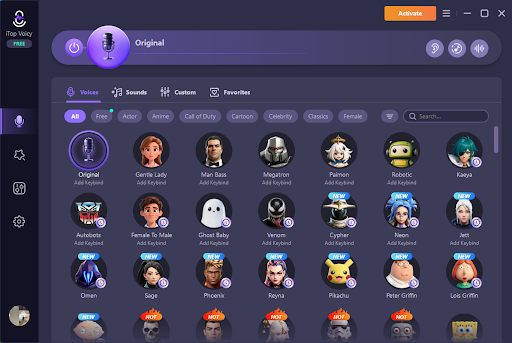
Opening the program showed tons of options. Categories included:
- Movie character voices
- Scary monster sounds
- Robot variations
- Celebrity impressions
- Funny cartoon voices
- Custom pitch controls
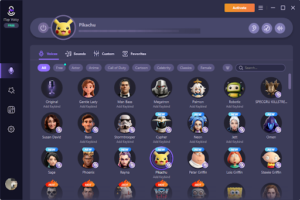
I tested the Pikachu voice first. Sounded legitimately good, not cheap or obviously fake.
The ghost voice was perfectly creepy. Gave me ideas for horror movie nights.
Step 3: Connect to Discord
This part seemed tricky at first. It turned out super simple.
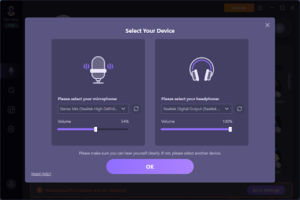
Opened Discord settings and went to Voice & Video. Changed my input device to iTop Voicy Virtual Audio.
Did a quick test on our server. Crystal clear audio, zero delay.
My friends could hear me perfectly with whatever effect I chose.
Step 4: Plan the Experience
I didn’t tell anyone beforehand. I wanted it to be a surprise.
Decided to match voices to what was happening on screen. Villain voices during bad guy scenes. Scared voices during tense moments.
Having a loose plan prevented it from becoming random chaos.
First Movie Night with Voice Effects
We watched The Conjuring that Friday. Perfect choice for testing creepy voices.
Started the movie normally. About fifteen minutes in, I switched to a demonic voice during a scary scene.
The reaction was instant. Everyone cracked up. Chat exploded with messages.
My friend Sarah immediately asked what I was using. Two others wanted the download link before the movie even finished.
We ended up pausing the film multiple times because we were laughing too hard.
What Changed After That
Movie nights became events we actually looked forward to again. The energy completely shifted.
Everyone downloaded this voice changer for PC within a week. Now we all use different voices during movies.
We started theming our voice choices:
- Action movies: tough guy voices
- Comedies: silly cartoon sounds
- Horror films: creepy monster effects
- Dramas: exaggerated serious tones
Our group chat stays active all week discussing voice ideas for the next movie.
The Benefits I Actually Noticed
Things I’ve noticed as a benefit:
- No technical issues: Audio quality stayed clear. Never experienced lag or delay problems.
- Easy switching: Could change voices instantly. One click and you’re something completely different.
- Huge selection: Over 100 effects meant we rarely repeated the same voices. Kept things fresh every week.
- Works flawlessly with Discord: Designed to integrate smoothly. No complicated workarounds needed.
- Low system impact: Didn’t slow down my computer. Could run it alongside screen sharing without problems.
The Downsides Worth Mentioning
This voice changer also have some disadvantages like:
- Can get overwhelming: When all five of us use voices simultaneously, conversations get chaotic fast.
- Some effects sound better than others: Quality varies. Certain voices come through muffled or distorted voices.
- Requires restraint: Overusing effects gets annoying quickly. Less is often more.
- Free version limitations: Best voices locked behind premium. Free tier works but feels restricted.
Tips That Improved Our Experience
Establish ground rules. We created a system where only two people use effects at once. Prevents audio chaos.
Match voices to movie genres. Makes the experience more immersive rather than random.
Take breaks from effects. We do normal voices during important plot moments. Save silly voices for lighter scenes.
Rotate who uses voices. Everyone gets turns being the main voice changer each week.
Record funny moments. We clip hilarious bits and share them in our group chat later.
Final Thoughts
Our Discord movie nights were stuck in a rut. Same people, same format, decreasing enthusiasm. iTop Voicy gave us a simple way to inject new energy. Added a layer of creativity and humor we didn’t know we needed.
The software itself is straightforward and reliable. Setup takes minutes. Integration with Discord works smoothly. But the real value comes from how you use it. Tools only matter when they enhance genuine connection.
Our friend group bonded more because we found a shared source of entertainment. The voice changer facilitated that.
If your online hangouts feel stale, this might be worth exploring. Low cost, easy setup, potentially high reward.
It worked for us. Might work for you too.