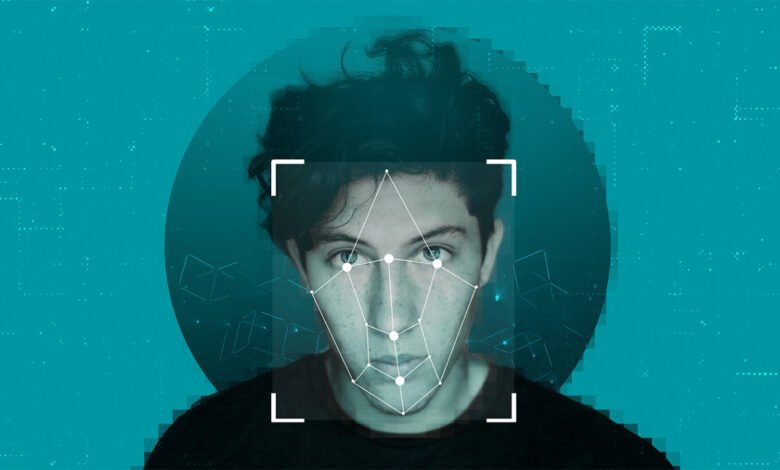
Your face is now searchable. Reverse face search engines can take a single photo and find where that face appears across the public web, which is powerful for safety and verification — but unsettling if you would rather not be so easily found. The good news is that you are not powerless. With a handful of deliberate steps you can protect your face online, shrink your exposure, and in many cases opt out of facial recognition indexes entirely. This guide walks through what is realistic, what is worth your time, and how to take back a meaningful amount of control.
First, understand what is actually exposed
Face search tools only work with publicly available images. They cannot see private accounts, locked albums, or photos you never uploaded. That means much of your exposure comes from a predictable set of sources:
- Public social media profiles and old accounts you forgot about.
- Photos friends, employers, clubs, or schools posted of you.
- Profile pictures on forums, review sites, and professional directories.
- News articles, event galleries, and team or staff pages.
- Anything indexed from a website with a public photo of you.
Knowing where your face lives is the first step to controlling it.
Step 1: Audit your own footprint
You cannot manage what you have not measured. Start by seeing what is out there. Run a search of your own face and check where your face appears online so you have a concrete inventory rather than a vague worry. Note each place your image shows up — you will tackle them in order of how much they bother you.
A self-audit often turns up surprises: an old dating profile, a tagged photo from years ago, a conference page, an avatar you reused everywhere. Each is something you can now address.
Step 2: Lock down your social media
Social platforms are the biggest single source of public face data. Tighten them:
- Set accounts to privatewhere you can.
- Review and remove public profile and cover photos, or replace them with non-face images.
- Untag yourself from public photos and ask friends to do the same.
- Disable face-tagging suggestionswhere the platform offers the setting.
- Prune old accountsyou no longer use — delete them rather than abandon them.
Step 3: Request removals from face search engines
Reputable facial recognition search services offer an opt-out or removal process precisely because biometric privacy matters. To use it you typically:
- Visit the service’s opt-out or privacy page.
- Submit a photo and/or the URLs of results you want removed.
- Verify your identity as required.
- Wait for processing, then re-check.
It is worth doing this with the major engines. The exact steps vary, so follow each service’s instructions, and keep records of your requests.
Step 4: Use your legal rights
Depending on where you live, the law may be on your side:
- In the EU and UK, GDPR treats biometric data as a special category, giving you rights to access and erasure you can assert against companies processing your face data.
- Several US states(such as Illinois with BIPA) have specific biometric privacy laws.
- Many services worldwide honor removal requests regardless of jurisdiction to stay on the right side of regulation.
You do not need to be a lawyer to send a removal or erasure request — a clear, polite message citing your rights often does the job.
Step 5: Reduce future exposure
Privacy is ongoing, not one-and-done:
- Think before posting high-resolution, front-facing photos publicly.
- Ask event organizers and employers how they will use your image.
- Use privacy-respecting defaults on new accounts.
- Re-audit your face footprint a couple of times a year.
A balanced perspective
It is worth being honest: you probably cannot make your face completely unsearchable, especially if you have a public role or a long online history. The realistic goal is meaningful reduction — removing the easy hits, locking down what you control, and opting out where you can. That is enough to defeat casual searches and significantly raise the effort required to track you. And the same tools that can find you are the ones that let you monitor for impersonation and image theft, so they are not purely adversarial.
What to do about photos other people posted of you
A frustrating truth of online privacy is that much of your face’s exposure was never your choice. Friends tag you, employers post team photos, clubs publish event galleries, and news sites run pictures from public gatherings. You cannot delete these yourself, but you are not without options.
Start with a polite request. Most people will take down or untag a photo if you simply ask. Reach out to the friend, the page admin, or the organization, explain that you would prefer the image not be public, and ask them to remove or untag it. This resolves the majority of cases without any conflict.
Use platform tools. Many social networks let you remove a tag of yourself even when you cannot delete the post, which severs the link between your name and the image. Some also offer reporting options for photos posted without consent.
Escalate when it matters. If a photo is genuinely harmful — intimate imagery shared without consent, or content used to harass you — platforms have dedicated removal processes, and in many regions the law provides strong protections. Image-based abuse is treated seriously, and you can usually report it both to the platform and to relevant authorities or helplines.
Address the search layer too. Even after a source removes a photo, cached copies and search indexes can lag. Submitting removal or opt-out requests to face search engines, and where applicable asking search providers to refresh outdated results, helps close that gap.
The realistic mindset is collaborative: you will not control every image of yourself, but a calm request resolves most situations, platform tools handle many of the rest, and formal channels exist for the serious cases. Working through them in that order is the most effective — and least stressful — path.
Frequently asked questions
Can I completely remove my face from the internet? Rarely, if you have any public history. But you can substantially reduce exposure by locking down social media, deleting old accounts, and submitting opt-out requests to face search engines.
How do I opt out of facial recognition search? Visit each service’s opt-out or privacy page, submit the required photo or result URLs, verify your identity, and follow up. Reputable engines provide this process.
Is opting out free? Most reputable services offer opt-out and removal at no charge, as it is often a legal requirement. Be cautious of anyone charging high fees simply to remove you.
Does GDPR help me protect my face? Yes. In the EU and UK, biometric data is a special category under GDPR, giving you rights to access and erasure you can use to request removal from companies processing your face data.
Final word
Protecting your face online is a process, not a switch. Start by auditing where your image appears, lock down social media, submit opt-out requests to face search engines, and lean on privacy laws where they apply. You may not vanish entirely, but you can clear the easy targets and make yourself far harder to find by casual searchers. Run a self-audit, take the removals one at a time, and revisit it a couple of times a year — steady effort beats one frantic afternoon.
Image suggestion: An illustration of a person’s photo with a shield icon and several “removed” tags over web thumbnails. Alt text: “Protecting your face online by opting out of facial recognition and removing public photos from search results.”
Internal-link suggestions for the host blog: – “A complete guide to deleting old online accounts” – “How to exercise your GDPR data rights” – “Social media privacy settings checklist”