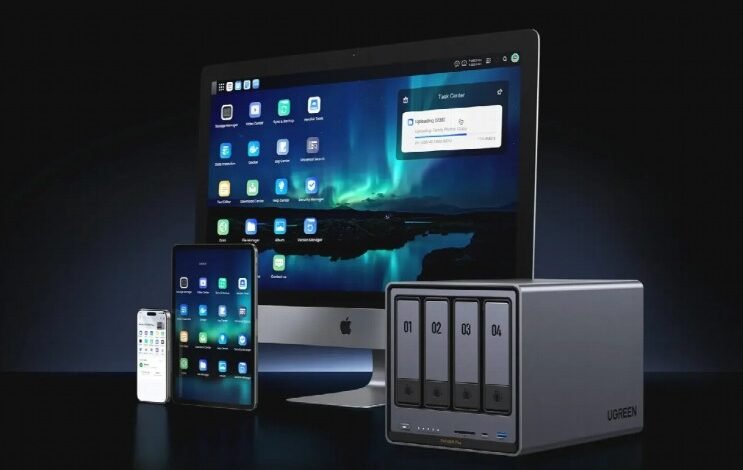
A NAS is often described as a private cloud, but that description can create a misleading impression: that the device stops being useful whenever the internet connection disappears.
For most core storage tasks, the opposite is true. A NAS is primarily a device on your local network. If the NAS, router or switch and the computer using it remain powered and connected, local files can normally remain accessible even when your broadband service is unavailable.
What changes during an outage is anything that needs to communicate beyond the home. Remote access, cloud synchronisation and online updates naturally depend on an external connection, whereas moving a document from a laptop to a NAS in the next room does not.
Understanding that boundary is the key to planning a NAS that remains useful when broadband is unreliable.
Local Storage Does Not Need the Public Internet
When a computer opens a shared NAS folder over the local network, that traffic does not need to travel through an internet service provider.
The data may move from the computer to a router or switch and then directly to the NAS. As long as the local network is still functioning, the broadband connection can be completely unavailable without interrupting that path.
That means an already configured NAS can typically continue supporting ordinary LAN-based tasks such as file sharing, local backups and access to shared folders.
A household could therefore lose its internet connection while someone is working on documents stored on the NAS and see little difference until they attempt to open an online service.
Local Backups Can Continue
Computer backups are one of the clearest reasons a NAS can remain useful during an internet outage.
If a backup application is configured to send data directly from a computer to a NAS on the same LAN, the transfer remains local. It does not need broadband merely because the backup software happens to run automatically.
The situation changes when the NAS is part of a wider backup strategy. If another job is configured to copy NAS data to an external cloud service, that stage obviously has to wait for connectivity to return.
This distinction is useful because it separates backup destinations from internet availability. A NAS can continue receiving local backups even while an off-site cloud copy is temporarily unavailable.
Local Media Can Also Keep Working
Films, music and home videos stored on a NAS can often be played over the LAN without internet access, provided the playback software itself can operate locally.
The qualification matters because modern media applications sometimes combine local playback with cloud-dependent features. Authentication, metadata retrieval, online recommendations or certain client applications may expect a connection even when the media file itself sits in the next room.
Direct access to the file is the simplest case: if the television, computer or media player can reach the NAS locally and supports the format, broadband is not inherently required.
This is another reason to distinguish the storage layer from the application layer. The NAS may still be serving the file correctly even if a particular app has lost one of its online functions.
What Actually Stops Without the Internet?
Anything whose destination lies outside the local network will be affected.
Remote access from another location normally stops because there is no working route from the internet back into the home. Cloud synchronisation cannot reach the cloud provider. Firmware checks and application downloads cannot contact vendor servers. Online documentation and other web-based resources also become unavailable.
Individual applications may behave differently. Some queue failed tasks and resume when the connection returns, while others may require user intervention.
The safest assumption is therefore not that a NAS is either “online” or “offline”, but that each service has its own dependency.
Internet Outage Does Not Mean Power Outage
Another common source of confusion is treating a broadband failure and a power cut as the same problem.
During a broadband outage, the NAS and network equipment may continue running normally. During a power cut, the NAS, router and switch will stop unless they have backup power.
A UPS can provide temporary power to compatible equipment and may allow a NAS to shut down in a controlled way, but the exact behaviour depends on the devices and configuration involved. If you need to keep using files locally during a power cut rather than merely protect the NAS, the network equipment required for that local path also needs power.
This creates three separate resilience questions:
Can the NAS operate without broadband? Usually yes for local tasks.
Can devices still reach it if the router fails? Not necessarily.
Can it operate during a power cut? Only while the required equipment remains powered.
An Offline NAS Still Needs a Network
The word “offline” can be misleading.
A NAS with no internet connection can still be fully connected to the local network. That is the situation in which local file sharing continues to work.
A NAS that has been physically disconnected from Ethernet and has no other local network path is different. Other devices cannot simply reach it because the internet is irrelevant if there is no local connection in the first place.
For home use, it is therefore more accurate to talk about a LAN-only NAS than a completely disconnected NAS.
A model such as DH4300 Plus can be used as local network storage while internet-dependent functions remain a separate layer. Its current UK product page positions it around home storage and local data management, while also offering online features when connectivity is available.
Test Your Setup Before You Need It
The easiest way to discover hidden internet dependencies is to test them deliberately.
Once the NAS is fully configured, temporarily disconnect the broadband WAN connection while leaving the local network running. Then try the tasks that matter to you: open a shared folder, perform a local backup, play stored media and open the NAS management interface through its local address.
If an application stops working unexpectedly, you now know that it depends on something outside the LAN.
This type of test is especially useful before relying on the NAS for a home office. Knowing how local access behaves during an outage is more useful than discovering the answer in the middle of one.
It is also wise to save the local NAS address or hostname rather than relying entirely on a cloud-based discovery service.
First-Time Setup May Be Different
One important caveat is that “NAS works without internet” does not mean every new NAS can necessarily complete every part of its initial setup offline.
Manufacturers may use online account registration, software downloads, licence checks, application stores or update services during onboarding. Exact requirements vary by platform and version.
The safer statement is therefore that an already configured NAS can perform many local functions without an active internet connection.
If permanent offline operation is a requirement rather than occasional outage tolerance, verify the specific software and features you intend to use before purchasing.
Why Local-First Storage Still Matters
The appeal of local storage is not that internet services are unnecessary. Cloud backup, remote connectivity and online updates can all add considerable value.
The advantage is that everyday access to your own files does not have to depend entirely on them.
For households comparing UGREEN NAS systems or other NAS platforms, this local-first behaviour is worth considering alongside storage capacity and performance. A NAS that remains available on the LAN can keep routine work, backups and local media separate from temporary broadband problems.
Final Thoughts
A NAS can work without internet access because its core role is local network storage. If the LAN remains operational, files, local backups and many locally hosted services can continue working even while the broadband connection is down.
The functions you lose are the ones that genuinely need to leave the home network: remote access, cloud services, online downloads and other external resources.
That makes internet connectivity important, but not fundamental to every NAS operation. The NAS and the internet are best understood as separate layers, with local storage underneath and online convenience added on top.