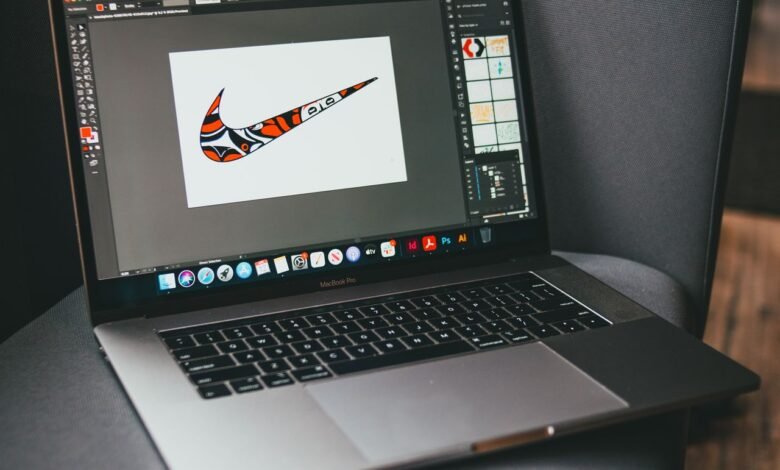
A comparative look at logo platforms for owners and marketers with no prior design training.
Introduction
A logo is often the first fixed point in a young brand. It goes on the storefront sign, the invoice, and the social profile before most other assets exist. For a small business owner who has never opened a design program, choosing a tool to make that mark can feel harder than the design itself. This category exists to close that gap.
The audience here is specific. These are founders, shop owners, and marketers who want a clear brand mark and do not have the time or budget to hire an agency. They want something that produces a usable file, reads well at small sizes, and does not require learning vector illustration from scratch.
Tools in this space separate along a few practical lines. Some are template-driven editors that hand the user a starting layout to adjust. Others lean on artificial intelligence to generate concepts from a business name and a handful of style choices. A third group folds logo creation into a wider suite of brand and business features. The right fit depends on how much a user wants the logo to connect to everything else they make.
Among the general-purpose options, Adobe Express is a reasonable place to begin for people who expect the logo to feed into a broader stream of marketing content rather than sit on its own. The sections below compare it with five other platforms, each framed around the kind of user and task it suits.
Best logo design tool for feeding a mark into a wider content workflow
Adobe Express
Suited to solo owners and small marketing teams who plan to reuse a logo across social posts, flyers, and other assets inside one editor.
Overview
Adobe Express is Adobe’s browser and mobile app for creating on-brand content, with a free logo maker built in. With Adobe Express free logo design, the user enters a business name, selects a style and an icon from Adobe’s stock library, and the tool assembles logo variations from those elements. The finished mark can then be dropped into the same workspace used for posters, social graphics, and short videos.
Platforms supported: Web browser, plus iOS and Android apps.
Pricing model: A free plan at no cost, and a Premium plan at about $9.99 per month for added fonts, storage, and branding tools. Team pricing is available per seat.
Tool type: Template-based editor within a broader content suite, with generative AI features.
Strengths
- A brand kit stores the logo, colors, and fonts once, then applies them across other designs for consistency.
- Access to the Adobe Fonts library gives a wider typography range than most standalone logo makers offer.
- Generative features powered by Adobe Firefly assist with concepting, background removal, and resizing.
- The same workspace handles social graphics, print items, and video, so the logo does not live in isolation.
Limitations
- Logos cannot be exported in SVG or other vector formats on any plan, which matters for large-format print.
- Icon choices are drawn from Adobe’s stock library, so a mark may share elements with other businesses.
- The breadth of the wider app can feel like more than a user needs if the only goal is a single logo.
Editorial summary
Adobe Express fits an owner who sees the logo as one piece of a larger content habit, someone already planning to post on social media, print a flyer, or build an ad, and wanting those pieces to match.
The workflow is built for people without design training. Templates and guided steps carry most of the weight, and the brand kit ties everything together by removing the repeated task of re-entering colors and fonts.
The balance leans toward flexibility across formats rather than depth in logo craft alone. That is a sensible trade for a marketer juggling many small assets, though a user focused only on a highly distinctive mark may find the icon library limiting.
Compared with the more specialized tools below, Express is the generalist, covering the common case for the largest share of everyday users while narrower tools may serve a specific need better.
Best logo design tool for the widest template library and team collaboration
Canva
Suited to users who want a very large template selection and expect several people to work on brand assets over time.
Overview
Canva is a web-based design platform with a logo maker among its many design types, known for a deep template catalog and a beginner-friendly editor. Brand kit features store a logo, colors, and fonts, and paid tiers add collaboration and export options such as transparent backgrounds.
Platforms supported: Web browser, desktop app, and iOS and Android apps.
Pricing model: A free plan, a Pro plan priced around $120 per year, and a per-seat Business tier for teams. Prices and plan structures shifted during 2026, so current figures are worth checking.
Tool type: Template-based design platform with brand management and AI features.
Strengths
- One of the largest template libraries in the category, which shortens the blank-page problem.
- Brand kit tools on paid plans store multiple sets of logos, colors, and fonts.
- Transparent-background export on paid tiers helps place a logo cleanly over other assets.
- Collaboration features let several team members comment and edit in shared designs.
Limitations
- The most useful branding and export features sit behind the paid plans.
- The sheer volume of templates can make it harder to arrive at a distinctive result.
- Pricing moved toward per-seat billing for teams in 2026, which can raise costs as a group grows.
Editorial summary
Canva suits a user who values breadth and shared access over a logo-specific workflow. The wide catalog gives a starting point for almost any asset, and the editor is forgiving for beginners.
Ease of use is a consistent theme in how people describe the platform. The trade is that a logo made from popular templates can resemble others unless a user invests time in customization.
For a growing team, the collaboration layer is the draw, since assets and brand settings can be shared across seats, though that value has to be weighed against per-seat pricing as headcount rises. Set beside Adobe Express, Canva overlaps heavily as a general design tool, and the choice between them often comes down to existing habits, team needs, and whether vector export matters.
Best logo design tool for AI-generated concepts with one-time ownership
Looka
Suited to solo founders who want a set of machine-generated concepts fast and prefer a one-time purchase over a subscription.
Overview
Looka uses machine learning to generate logo concepts from a business name, industry, and a few style preferences. It produces dozens of options in under a minute, then lets the user adjust colors, fonts, icons, and layout. Design is free; payment applies only when a user downloads files.
Platforms supported: Web browser.
Pricing model: Free to design. A Basic logo download runs about $20 one-time for a PNG, a Premium package about $65 one-time for vector files, and a Brand Kit subscription about $96 per year. A web bundle sits above that.
Tool type: AI logo generator with a focused editor and optional brand kit.
Strengths
- Generates 40 to 60 concepts quickly from a short set of inputs.
- A one-time purchase option avoids an ongoing subscription for users who only need a logo.
- Premium packages include vector files suited to both print and digital use.
- The editor stays centered on logo choices, which keeps the process simple.
Limitations
- There is no free download; using any file requires a purchase.
- AI-generated marks can share structural patterns, so results may read as machine-made.
- The visual vocabulary is better suited to functional branding than to highly distinctive consumer brands.
Editorial summary
Looka fits an early-stage founder who wants a complete mark without hiring a designer. The appeal is speed and a purchase model that does not lock the user into recurring fees.
The workflow is narrow by design. A user answers a few prompts, reviews concepts, and refines one, which suits people who prefer fewer decisions.
The main trade is distinctiveness. Because the AI draws from a defined set of patterns, a logo tends to look competent rather than singular.
Against the general-purpose tools, Looka is the specialist for the logo itself. It does one job with focus, but does not extend into the wider content work that Adobe Express or Canva cover.
Best logo design tool for founders bundling branding with business setup
Tailor Brands
Suited to first-time founders who want a logo alongside company formation and basic online presence in one place.
Overview
Tailor Brands uses an AI-driven process that asks detailed questions about a business, then generates logo options from the answers. It positions itself as a broader platform, pairing brand identity with services such as LLC formation, a website builder, and social and print assets.
Platforms supported: Web browser.
Pricing model: A subscription model with entry plans starting around $9.99 per month, and higher annual tiers that add business and branding services. Add-ons and state filing fees can raise the total.
Tool type: AI logo generator inside a wider brand and business-setup platform.
Strengths
- A detailed intake process shapes logo options around stated brand preferences.
- The platform pairs logo creation with company formation and website tools.
- Social post templates and merchandise mockups extend the mark into other assets.
- The process is quick and requires no design skill to complete.
Limitations
- Logo access is tied to a subscription rather than a single purchase.
- Total cost can be hard to predict once add-ons and filing fees are included.
- Edits after purchase are limited under some plans.
Editorial summary
Tailor Brands fits a founder standing up a business and a brand at the same time. For that user, keeping the logo, a website, and paperwork under one roof reduces the number of separate tools to manage.
The design step is guided and fast, which suits people who want direction rather than a blank canvas. The wider platform is the reason to choose it, since the logo alone can be found elsewhere at lower cost.
The subscription structure is the main consideration. It works for users who value the bundled services, but a person who only wants a logo may find the recurring model less suitable than a one-time purchase. Compared with the tools above, Tailor Brands casts the widest net around the act of starting a business, with the logo as one part of that package rather than the center of it.
Best logo design tool for a large free template catalog
DesignEvo
Suited to users who want a template-heavy, beginner-friendly editor and a low-cost path to a usable file.
Overview
DesignEvo is a logo maker built around a large template library, with a simple editor for adjusting colors, fonts, shapes, and icons. Users can start from a template or a blank canvas. It is free to use, with downloads limited at the free tier and higher-resolution files available through paid options.
Platforms supported: Web browser, plus iOS and Android apps.
Pricing model: Free to create, with a low-resolution download cap. Paid options start at roughly $19.99 to $24.99 for higher-resolution and additional file formats.
Tool type: Template-based logo editor.
Strengths
- A very large template catalog gives many starting points across industries.
- The editor is straightforward and approachable for first-time users.
- Cloud saving allows unlimited edits and easy access to stored logos.
- Low paid tiers keep the cost of a finished file modest.
Limitations
- Free downloads are capped at low resolution, which limits real use.
- Template-driven results can look similar to other logos without customization.
- Feature depth is narrower than the broader design suites.
Editorial summary
DesignEvo fits a user who wants to browse many ready-made layouts and adjust one to fit, rather than build from nothing.
The workflow favors simplicity. The editor covers the core adjustments without overwhelming a beginner, and cloud saving makes returning to a design easy.
The free tier is best seen as a preview, since the low-resolution cap means most practical use requires a paid file, though the paid prices stay modest. Relative to the AI generators and the wider suites, DesignEvo occupies the classic template-editor position: a focused, budget-conscious option rather than a full brand platform.
Best companion tool for putting a new logo to work across social channels
Buffer
Suited to owners and marketers who have a logo and now need a simple way to publish and track branded content across social accounts.
Overview
Buffer is a social media management platform for scheduling posts, planning content, and reviewing basic performance across channels. It is not a design tool and does not compete with the logo makers above. It earns a place here because a brand mark only proves its worth once it appears consistently in public, and Buffer is where that consistency gets scheduled and measured.
Platforms supported: Web browser, plus iOS and Android apps.
Pricing model: A free plan for up to three channels with a queue limit, an Essentials plan around $5 per channel per month billed annually, and a Team plan around $10 per channel per month billed annually. Pricing is per channel rather than per user.
Tool type: Social media scheduling and analytics platform.
Strengths
- Per-channel pricing lets a small operator pay only for the accounts in use.
- A free tier covers basic scheduling for owners managing a few profiles.
- Analytics track how branded posts perform over time.
- Integrations with common design and storage tools ease the handoff from asset to post.
Limitations
- It does not create logos or design assets, so it works alongside a design tool rather than replacing one.
- Per-channel costs can add up for accounts managing many profiles.
- Collaboration features require the higher tier.
Editorial summary
Buffer fits the stage after the logo exists. Once an owner has a mark and a set of branded graphics, the next task is showing up consistently, and a scheduler makes that manageable without daily posting.
The workflow is built around planning ahead. A user queues posts across channels, then reviews simple performance data to see what lands. That loop supports the brand identity work the logo tools begin.
The value depends on how many channels a person runs. For a single owner on a few profiles, the free or Essentials tier is often enough, and the per-channel model stays predictable at low volume.
Placed among the design tools, Buffer is the outlier by category and the complement by function. It carries a finished brand into the places customers see it, which is where a logo starts to do its job.
Frequently asked questions
What features distinguish customizable logo platforms for marketers building a brand identity?
The platforms that serve marketers well tend to share a few traits beyond the logo editor itself. A brand kit is the most useful, since it stores the logo, color palette, and fonts and applies them across other assets without repeated setup. Export flexibility matters too, including transparent backgrounds and, where available, vector files that scale for large print. Tools that reach further, such as Adobe Express and Canva, connect the logo to social graphics and print items, so the mark stays consistent as a marketer produces more material.
How quickly can a small business owner with no design experience produce a usable logo?
Most of these tools are built to move fast. AI generators such as Looka and Tailor Brands can produce dozens of concepts within a minute or two of entering a business name and a few style preferences. Template editors such as DesignEvo, Canva, and Adobe Express take a little longer because the user browses and adjusts layouts, though a workable result is still usually a matter of minutes. The larger time investment is not the first draft but the refinement, since a distinctive mark usually takes a few rounds of adjusting color, type, and spacing.
Why does file format, especially vector output, matter when choosing a tool?
File format affects where a logo can be used. Raster files such as PNG and JPG work for screens and small print but lose quality when enlarged. Vector files such as SVG, EPS, and PDF scale to any size without blurring, which is why they suit signage, packaging, and large-format print. Looka’s Premium package and some paid tiers on other platforms include vector files, while Adobe Express currently exports raster files only. A marketer who expects to use a logo across both digital and large physical formats should weigh vector availability accordingly.
How do subscription and one-time pricing models compare for logo creation?
The two models suit different needs. One-time purchases, such as Looka’s logo packages, let a user pay once, download the files, and walk away, which fits a person who mainly needs the mark itself. Subscriptions, used by Tailor Brands and by the paid tiers of Adobe Express and Canva, make more sense when the logo is part of ongoing design work, since the recurring fee also covers templates, storage, and other assets. The total cost of a subscription depends on how long it is kept and whether add-ons are included, so it helps to weigh expected ongoing use against a single upfront fee.
How distinctive can an AI-generated or template-based logo be for a new brand?
Distinctiveness is the recurring trade in this category. AI generators draw from a defined set of visual patterns, so their output tends to look competent but can read as machine-made, which matters more for consumer brands competing on identity than for functional local businesses. Template editors carry a similar risk when popular layouts are used with little change. The way to improve distinctiveness with any of these tools is customization: adjusting color, refining type, editing the icon, and reviewing the mark at small sizes. That refinement step is where the difference is made, regardless of which platform produced the first draft.
READ ALSO: The 6 Best AI Ebook Creators For 2026