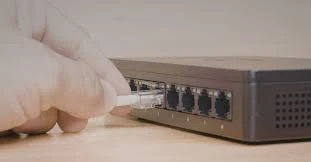
You’ve got a new Wi‑Fi 7 router sitting on your desk, a NAS packed with high‑resolution footage, and maybe even a gaming PC with a 2.5G port. Everything feels fast—until you move a large file and the speed needle stubbornly hovers around 125 MB/s. That’s the unmistakable sign of a gigabit bottleneck. While internet plans and endpoint hardware have raced ahead, the humble switch has often been left behind.
Enter the 2.5G Ethernet switch. It offers 2.5 times the throughput of traditional gigabit gear, works over your existing Cat5e or Cat6 cabling, and costs a fraction of a full 10G upgrade. Whether you are a video editor tired of waiting for renders, a small‑business owner deploying Wi‑Fi 7 access points, or simply a power user who wants the network to stay out of the way, a 2.5G switch is one of the highest‑return upgrades you can make today. This guide walks you through why 2.5G makes sense, what to look for when shopping, and which models deserve a closer look.
Why 2.5G Hits the Sweet Spot
Gigabit Ethernet has served us well, but its limits are becoming painfully obvious. A single Wi‑Fi 6 access point can already push more than 1 Gbps of real‑world throughput, and Wi‑Fi 7 access points routinely have 2.5G or 5G ports on board. Connect that access point to a gigabit switch, and you instantly cut its potential performance in half. The same story plays out with NAS devices: four or five people streaming 4K video, backing up workstations, and syncing cloud folders can saturate a gigabit uplink within minutes.
So why not jump straight to 10G? The answer is cost and complexity. 10G switches are more expensive to buy, they run hotter, and they often require new Cat6a or Cat7 cabling to maintain stable performance over any reasonable distance. On top of that, many 10G switches do not gracefully negotiate down to 2.5G, which can force a 2.5G‑capable device to fall all the way back to 1 Gbps. 2.5G was designed specifically to avoid these pitfalls. It conforms to the IEEE 802.3bz standard, delivers a genuine 2.5x speed boost, and works perfectly with the Cat5e wiring already inside your walls. You get a meaningful performance lift without re‑cabling, without excessive heat, and without breaking the bank.
What to Look for in a 2.5G Switch
Not all 2.5G switches are created equal. Before you click “buy,” run through these four decision points.
Port count and uplink strategy. The right number of ports depends entirely on how many wired devices you plan to connect. For a simple home office or a dedicated workstation + NAS setup, a 5‑port or 8‑port model is usually sufficient. For a small business with multiple access points, surveillance cameras, and a handful of power users, 16‑port and 24‑port switches become more attractive. Pay special attention to the uplink ports. Many 2.5G switches include one or two 10G SFP+ ports, which let you connect the switch to a faster core network or to a server without creating a new bottleneck at the top of your stack. In higher‑density environments, you will often see switches with 2.5G downlink ports and multiple 10G or 25G uplinks, an architecture that keeps traffic flowing even during peak usage.
Managed versus unmanaged. Unmanaged switches are exactly what they sound like: plug them in, connect your devices, and they work. They are perfect for homes, small offices, and any situation where you just need more bandwidth without extra complexity. Managed switches, on the other hand, offer features like VLANs (which let you segment network traffic for security), link aggregation (combining multiple ports for higher throughput), and QoS (prioritizing important traffic like video calls or VoIP). If you are building a network for a business, a creative studio, or a serious home lab, the extra control of a managed or smart‑managed switch is well worth the modest price premium.
PoE requirements. Power over Ethernet (PoE) allows a switch to deliver both data and electrical power through the same Ethernet cable. That capability is essential for powering Wi‑Fi 6/7 access points, IP cameras, VoIP phones, and even some IoT sensors without running separate power cords. If your switch sits in a closet and only connects to desktop computers and a NAS, you can safely skip PoE. But if you are mounting access points on ceilings or placing cameras around a building, a PoE switch saves an enormous amount of time and labor. The latest models support PoE++ (802.3bt), which can deliver up to 90 watts per port to power even the most demanding devices.
Cooling and physical design. Many 2.5G switches rely on fanless designs, which makes them completely silent and ideal for desktop use, media centers, or open offices. However, once you move to 16 ports or more—or once you add PoE at scale—active cooling becomes necessary to prevent overheating. Before buying, check the noise specifications and consider where the switch will live. A silent fanless unit is a pleasure on a desk; a screaming 40mm fan is not.
Real‑World Models Worth Considering
The market for 2.5G switches has matured quickly, and there are solid options at almost every price point.
For homes and small offices looking for a dead‑simple unmanaged switch, the Netgear MS105 or MS305 offer five 2.5G ports in a compact metal chassis with plug‑and‑play operation, silent cooling, and jumbo frame support. The TP‑Link Omada DS105G‑M2 is another excellent choice in the same category, delivering 25 Gbps of switching capacity in a fanless desktop form factor.
If you need management features like VLANs or QoS without venturing into full enterprise complexity, the QNAP QSW‑M2130 series is a standout. The standard model provides 24×2.5GbE ports plus 10GbE combo ports, while the PoE++‑enabled version delivers a total power budget of up to 375 watts for power‑hungry Wi‑Fi 7 access points and high‑resolution cameras. For users who want a unified management ecosystem, the Ubiquiti UniFi Switch Flex 2.5G 8 PoE integrates seamlessly into the UniFi controller and supports flexible power input (PoE+++ uplink or external AC adapter), making it ideal for edge deployments.
On the enterprise side, the Zyxel XMG2230 series combines all‑2.5G or mixed 1G/2.5G port options with 10G SFP+ uplinks and high‑power PoE++ budgets that can scale up to 2400 watts when external DC power is used. And for very high‑density environments, the QSFPTEK S7300-48TE4X2Q delivers 48 ports of multi-gigabit 100M/1000M/2.5GBASE-T connectivity alongside 4×10G SFP+ and 2×40G QSFP+ uplinks, making it suitable for campus access layers and data center edge use cases. Many of these multi‑gig deployments also benefit from upstream connections using 10G BiDi transceivers, which allow two bidirectional fiber links to share a single strand and effectively double your uplink capacity without laying new cable.
Making the Final Choice
Upgrading to a 2.5G switch is rarely about chasing a bigger number on a spec sheet. It is about eliminating a real, measurable bottleneck that affects how you work and play every day. If your internet plan has crossed the gigabit threshold, if you own a NAS that multiple people access simultaneously, or if you are deploying modern wireless access points that can actually deliver multi‑gig performance, a 2.5G switch will transform your network from frustrating to forgettable.
The best path forward is simple: count how many devices need the higher speed, decide whether you need PoE or management features, and pick a switch that gives you room to grow. In most home and small‑business environments, an 8‑port unmanaged 2.5G switch with a 10G SFP+ uplink hits the sweet spot of price, performance, and future‑proofing. The hardware has finally caught up with the demand—and your network deserves the upgrade.