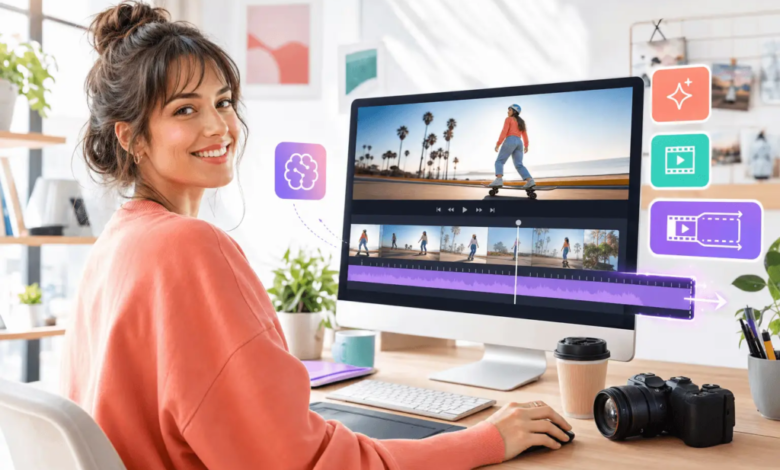
Late on Friday afternoon, an editor receives a familiar message: “Can we turn this article into a 30-second clip for Monday?” The folder contains a finished story, several images and the event details. What it does not contain is a decision about which part of the story belongs on screen.
That decision needs to come first. Seedance 2.5 can be used after the angle, sources and visual boundaries have been agreed. At that stage, it can help the team explore how a shot list might work as a moving draft. It should not be asked to choose the angle or fill gaps in the reporting.
Reduce the Story to One Point
Imagine that the article is about a neighbourhood bakery. It includes the shop’s history, a short interview with the owner and details of a new bread-making workshop.
All three parts may belong in the article, but the video needs a narrower purpose:
The bakery is holding a beginner workshop this Saturday, and advance booking is required.
This becomes the editorial promise. Every shot should support it.
The editor should also write down what the clip must not suggest. In this case, it should not imply that earlier workshops were full, that every participant will produce the same result or that an illustrative scene shows a real class.
Writing these limits into the brief is easier than trying to repair an inaccurate impression later.
Keep a Small Source Card
Before making the shot list, collect the details that will appear in the clip and record where each one came from.
| Detail | Source | How it may appear |
| Workshop date | Current booking page | Added as text during editing |
| Closing date | Confirmed event notice | Added as text during editing |
| Beginner level | Approved article or organiser | Short caption |
| Location | Official venue details | Closing information card |
This source card gives the reviewer something clear to check. It also stops generated visuals from becoming the source of a claim.
A calendar appearing in a scene does not confirm the date. A busy room does not prove demand. A perfect loaf does not prove the quality of the workshop. Facts still need to come from verified material.
Give Every Shot a Job
The next step is a short list of shots. It does not need camera jargon. Each line only needs to explain what viewers should learn at that point.
A 30-second version could use:
| Time | Editorial purpose | Visual idea |
| 0–5 seconds | Establish the setting | Illustrated exterior of a small bakery in the morning |
| 5–11 seconds | Introduce the activity | Flour, a bowl and baking tools on a worktop |
| 11–18 seconds | Show the main action | Non-identifiable hands gently folding dough |
| 18–24 seconds | Present confirmed details | Date and booking deadline added in editing |
| 24–30 seconds | Give the next step | Closing frame directing viewers to the full information |
The timing is only a guide. What matters is that each shot can be traced back to the editorial promise.
If a scene is attractive but has no clear job, it probably does not need to be there.
Do Not Use a Prompt to Replace Missing Reporting
Once the shot list is approved, write a plain instruction for each generated scene. Describe the subject, setting, action and camera movement.
For example:
Close view of non-identifiable hands slowly folding bread dough on a clean wooden worktop. Soft morning light, steady camera, natural movement, no visible face, logo or text.
This is enough to explain the shot. Extra adjectives will not solve an unclear brief.
The instruction should not ask the model to invent a crowded workshop, an enthusiastic customer reaction or a branded interior that has not been verified. If the story needs one of those details, the editor should find an appropriate source rather than manufacture supporting imagery.
Dates, prices, names and quotations are also safer when added as checked text during normal editing. They should not depend on words appearing correctly inside a generated scene.
Use References Only When They Help
XMK currently allows different types of reference material, but a large folder does not automatically create a clearer result.
Every reference should have a specific purpose:
- A setting image explains the general environment.
- A colour reference guides the visual tone.
- A motion sample clarifies a particular action.
- An eligible audio reference suggests pace or atmosphere.
Before uploading anything, check the current platform rules and the agreements attached to the material. Permission to publish a photograph, interview or recording does not automatically include external AI processing, derivative use or promotional reuse.
XMK states that real human faces—including selfies, portraits and celebrity material—are not supported in this workflow. Copyrighted, violent and NSFW content is also restricted. Confidential files, embargoed material and private customer assets should not be used as ordinary creative references.
Voices need separate care. Do not upload or imitate an identifiable speaker without appropriate authorisation. If an interview is involved, a generated voice should not be used to place new words in the speaker’s mouth.
Check Meaning Before Visual Polish
The first review should ask whether the draft is accurate, not whether it looks impressive.
A practical AI video planning workflow should include questions such as:
- Does the opening identify the correct subject?
- Is every date, name and price supported by the source card?
- Has the order of events changed?
- Does any scene imply popularity, quality or performance without evidence?
- Could an illustrative scene be mistaken for real footage?
- Has a quotation been shortened in a way that changes its meaning?
- Does the closing instruction still match the current article or event page?
If the article comes from an interview, compare the final clip with the original recording or transcript. If dates matter, distinguish between when something happened, when it was recorded and when it was published.
Generated visuals should not be presented as documentation of a real event. When viewers could reasonably mistake them for genuine footage, the surrounding wording should make their illustrative purpose clear.
Keep Local Changes Local
Seedance 2.5 includes local re-draw controls for adjusting a specific visual element, such as a product, background or subject. This may help when one element does not fit the approved brief.
It will not fix a weak editorial structure. If the action is wrong, the sequence is misleading or the scene changes the meaning of the story, the team may need to revise the instruction, regenerate the shot or change the edit.
After any local adjustment, watch the complete clip again. Lighting, motion, composition or nearby details may also have shifted.
Know When a Generated Scene Is the Wrong Choice
Some subjects need documented material rather than an illustrative draft.
Generation may be unsuitable when the clip is expected to show:
- A breaking news event
- A real person’s actions or words
- Evidence of product performance
- A medical, legal or safety procedure
- A sensitive accident, conflict or personal experience
- A precise food-handling or technical method
- Anything viewers may rely on as proof or instruction
In those cases, verified footage, licensed photographs, reviewed diagrams or a text-led format may be more appropriate.
The Brief Still Comes First
The tool belongs in the middle of the process.
The editor first chooses the point, confirms the sources and sets the visual boundaries. The shot list comes next. Only then does it make sense to create a moving draft and review what the images may be saying.
A generated clip can make an idea easier to see, but it should not decide what the story means. The request may be to “make a 30-second clip,” but the editor’s real job is deciding what deserves those 30 seconds.